

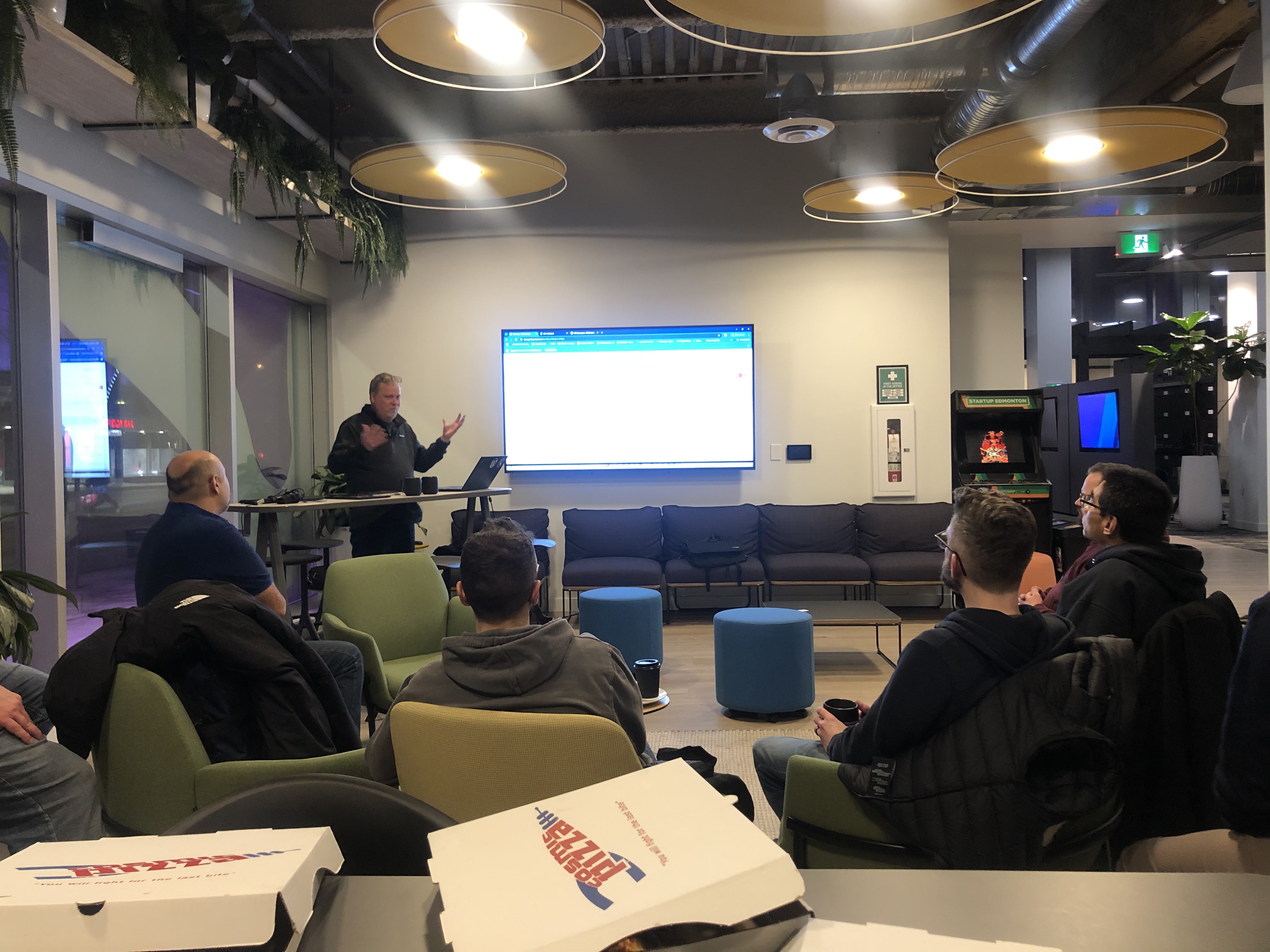
Here’s a big thank you to everyone who attended the meetup Thursday night. Harvey Porter‘s led us on a tour through his hockey league management app, which spawned further discussions.
It was great to meet so many different people! Connecting with others who are learning how to do cool things with WordPress is always fun and mind-expanding.
Half the web is WordPress sites made by people like you.
We got a nod from my friend Jos Velasco in Bogotá, Colombia 🇨🇴 in the last WordPress community organizer newsletter. Jos shared news from many other January meetups around the world. If you’d like to join people like Jos and me who contribute to the open-source WP community project, Make WordPress is a good place to learn how. There are many ways to help! More details below.)
If you’d like to help me organize and promote our local meetup, I could use you! Please get in touch.
My hope is for the YEG meetup to reflect what has long been WP’s wonderful global community of students, hobbyists, enthusiasts, and professionals of all ages and walks of life. As open-source software and as a community, WordPress has no borders or barriers to entry. There are so many people involved with WP willing to share their questions, code, and knowledge from wherever they are in their WP journey.

WordCamp Asia is happening live from Manila on WordPress.tv! 🇵🇭
On WordPress.TV, and the WP YouTube channel, you can find live sessions and recordings from WP Meetups around the world as well as WordCamp conference recordings. The currently live WordCamp Asia event in Manila is streaming on YT now.
Would you like to be our next featured speaker?
Please get in touch with me if you’d like to be our featured speaker at a future event. or if you have topics or activities you’d like to see covered. I’m hearing a lot of people are interested in theme design and sharing their discoveries with AI tools. Many of you have more hands-on experience with these things than I do! (These days, I mostly do system architecture, project planning, and management.) The meetup can be your stage to lead a presentation or workshop! 👩🏼🏫
Or suggest a topic?
We might dig deeper into WP-based app development and a back-end (database) focused workshop later this year. I’m hoping the NAIT crew working on their capstone project in WordPress will share their work with us when it’s complete. 😀
How to get deeper into the WordPress community and find learning resources
- If you don’t have one already, jump right in by creating an account on WordPress.org. (https://login.wordpress.org/register)
- Then join Make WordPress Slack. You can find all the directions for this here: https://make.wordpress.org/contribute/join/.
- You can learn what community teams exist that might be a good fit for you here: https://make.wordpress.org/contribute/
If you just want to learn WordPress, aside from the community forums and developer documentation, the Learn WordPress site is a great resource. It has tutorials and courses for all kinds of subjects and skill levels. (All of this is free of charge and based on volunteers creating it!)
Other ways to get connected in the Albertan and Canadian WordPress communities:
#wordpressin the Dev Edmonton Society (DES) Slack group.#wordpressin the Edmonton Startup Community Slack group.#wpyegin the WordPress Canada Slack group. ⬅️ WordCamp Canada (WCEH!) 2025 is being planned here. If you’d like to help, let me know.🏕️
- YYC WP Meetup (Calgary)
- YVR WP Meetup (Vancouver)
- WordCamp Canada (WCEH)
- WordPress Canada Facebook Group
- Winnipeg, Ottawa, Montreal, Toronto, and Halifax have active meetups too.
New things we learned at the February meetup:
Harvey spoke about WP-Cron and generated some interest in scheduling tasks (like WordPress actions) using this core feature of WordPress. He used the WP-Crontrol plugin as a key part of his app to create WP-Cron events.
WP-Crontrol is probably the best plugin of its kind for managing your tasks that use WP-Cron. It’s one of many terrific free plugins and dev tools by John Blackbourn, a longtime UK-based core contributor to the WordPress codebase. John is responsible for the hardened encryption (bcrypt) going into the upcoming WordPress 6.8 release. (WordPress 6.7.2 dropped on February 11.)
You can always get the latest official WordPress project news here: https://wordpress.org/news/.
If you have a lot of scheduled actions in WordPress, take a look at Action Scheduler from Automattic. It was developed for WooCommerce (which includes it), and you can use it on its own or in your own code. Check out https://actionscheduler.org/ for all the deets. Action Scheduler works with WP-CLI and can process large amounts of scheduled tasks in the background without slowing your site.
These fine tools, like everything that plugs into WordPress, are open source.
What AI Chat Agents work well for WordPress code development?
Clay Bitner mentioned T3 Chat (https://t3.chat/) at the Meetup as a great tool for generating WordPress plugin code after I mentioned that ChatGPT did not give me great results. (Without a lot of training, I found ChatGPT will write insecure code, use PHP rather than WordPress functions, and mistake PHP sessions for WordPress sessions.) I’ve had better experiences with Microsoft’s Copilot for GitHub. I keep hearing about Cursor being especially awesome for WP development, so I want to try it next. Let me know if you’re getting value from Cursor; I’d like to compare notes.
Others at the meetup pointed out that ChatGPT now has some agents for coding in several languages and a whole marketplace of agents people have created. There are so many for WordPress, the challenge (like so many things WP) is to find the best one for what I want to do.
T3 Chat is amazing, though! I know of Theo Browne, but I did not know he released this amazing superfast chatbot (based on Gemini) that generated some really smart WordPress code on my first try. (Theo announcing T3’s release and how he built it: https://www.youtube.com/watch?v=QLvIoi2s1zY)
Here’s one last AI-based WP tool tip, fresh from the prolific Robert DeVore: generate AI-Powered Patterns for WordPress. This is a plugin that takes your prompts and translates them into well-structured block markup that fits seamlessly into your theme. 🎩 Hat tip: Remkus De Vries‘s excellent Within WordPress newsletter.)
 Share this post in the Fediverse!
Leave a Reply